Vehicle rental
Let customers book the vehicle and rental period they need
Connect vehicle availability, rental timing, allowed handover locations and driver requirements in one booking journey. Keep the reserved vehicle and actual payment state visible to your business.

A rental is an asset reserved over time
Self-drive customers need a suitable vehicle for their chosen period. The business must consider occupancy, rental units, pickup and return rules, and eligible drivers—not a practitioner’s appointment calendar.
The selected vehicle must fit the rental
ServEase checks the concrete vehicle, interval, location rules, availability and relevant driver requirements. The rental price follows the configured rental unit and offer rules; the number of people does not replace the vehicle’s rental period.
How customers book
Discover: Browse the rental service or individually promoted vehicles where configured.
Choose: Select vehicle/option, rental interval and allowed handover locations.
Availability: Review available periods and relevant rental requirements.
Submit: Provide required driver details and review the configured price/payment path.
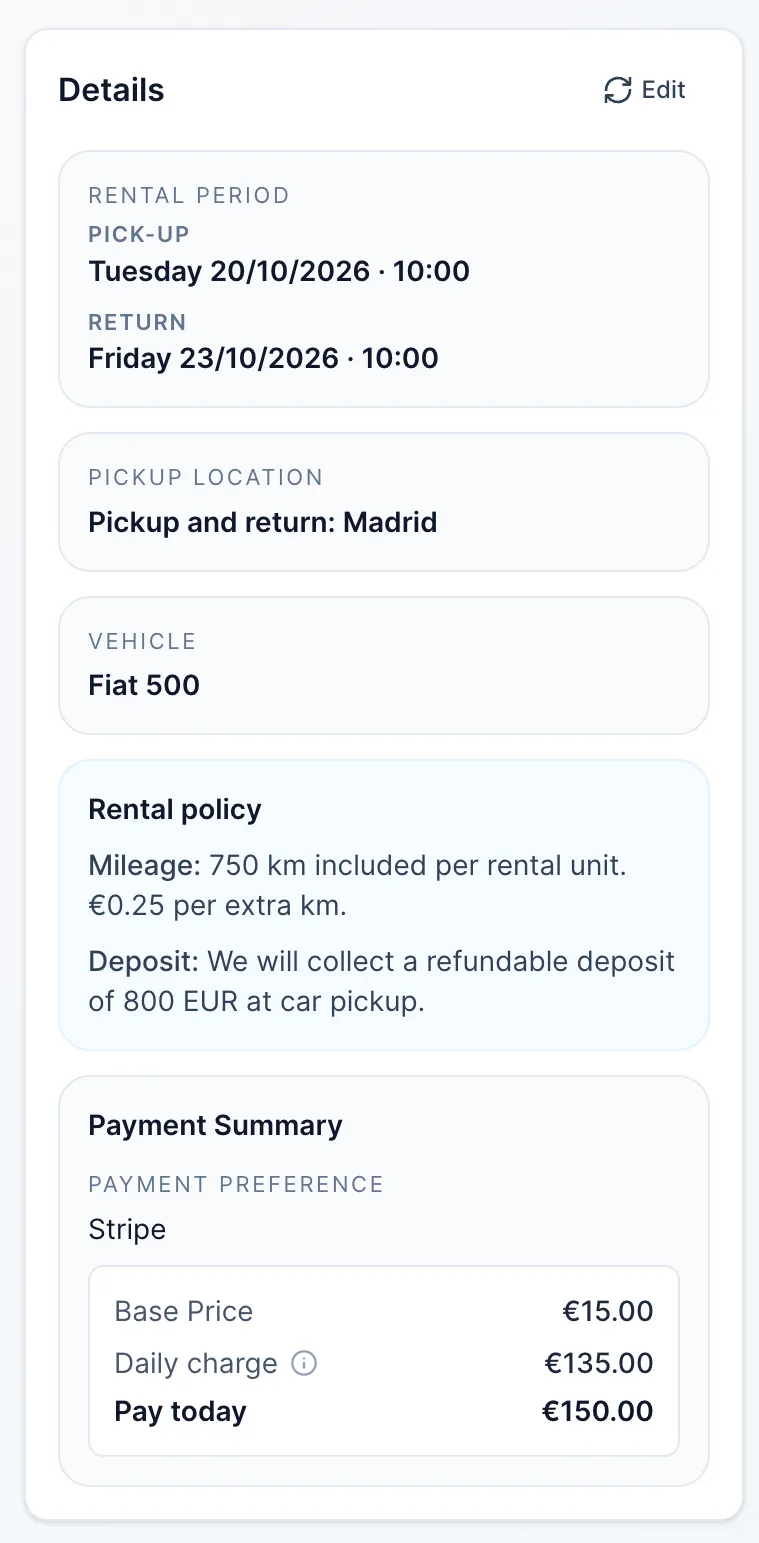
Actual result: A valid booking reserves that vehicle for the rental period and records the rental details; payment may remain outstanding.
Your brand on the outside
Your website. Your brand. ServEase underneath.
Three fictional businesses, several completely different customer-facing views — all using genuine ServEase Widgets. Match the booking experience to the business instead of sending customers to a generic third-party page.
Wellness · Service grid · browse before booking
How your business works
Maintain vehicles, their available hours/time off and allowed locations. Configure rental options, driver limits and applicable pricing policies. Review vehicle occupancy, handover details, driver context and transactions from Admin.
What ServEase coordinates
Vehicle Resource
The car/campervan reserved.
Person receiver
Driver details where required; distinct from the Vehicle asset.
Location
Allowed pickup/return context, according to vehicle policy.
Team
Not required for self-drive rental.
Rental option
Defines relevant unit, period/pricing and configured rules.
Relevant capabilities
Support exclusive vehicle reservations, hourly/daily/nightly rental units where configured, permitted handover locations and relevant driver requirements. Configured additional-driver fees and mileage policies can be presented where applicable.
Limitations and fit
One Vehicle is one physical bookable asset, not pooled quantity inventory. One-way returns depend on supported allowed locations. Additional-driver charges apply only when configured. Mileage overage is not known from pre-booking discovery; it depends on recorded use. No automatic insurance, traffic routing or security-deposit card hold is promised here.
Questions about this journey
Does a rental need a staff member attached?
No. Customers reserve the vehicle itself for their rental period; no staff member needs to be booked with it.
Can customers return to another location?
Only where you allow that return location for the vehicle and service. Customers choose from permitted locations, not any address.
How is the rental period priced?
By the rental unit and pricing rules you set for the option. A daily rate counts each started 24-hour period; a nightly rate counts calendar nights in your business’s time zone.
Do extra drivers change the price?
Only when an additional-driver fee is configured. Driver eligibility and limits remain separate requirements.
Start with one vehicle and its rental rules
Set the rental option, handover locations and driver requirements, then review what customers can actually book.
Try for free