Services with staff & resources
Book services only when staff and the room or vehicle are both free
Some services need a person and a resource together—a driving instructor and a car, a therapist and a treatment room. ServEase checks both for the same time instead of treating them as separate calendars.
The vehicle and the staff must fit the same booking
A driving lesson, an airport transfer or a treatment in a dedicated room needs both an available staff member and the right room or vehicle. Having only one of them free does not make the service deliverable.
Both sides are required
ServEase checks a compatible pairing of staff and room or vehicle against the service, location, schedule, hours, time off, buffers and existing bookings. A conflict on either side can prevent the booking.
How customers book
Discover: Browse the service, such as a transfer or a driving lesson.
Choose: Select the relevant option, location, time and passenger or participant details where required.
Availability: See times when both a staff member and the room or vehicle are available.
Submit: Review the service details and configured price/payment path.
Actual result: A valid booking records both the staff assignment and the room or vehicle. Creating a booking does not by itself mean it is confirmed or paid.
Your brand on the outside
Your website. Your brand. ServEase underneath.
Three fictional businesses, several completely different customer-facing views — all using genuine ServEase Widgets. Match the booking experience to the business instead of sending customers to a generic third-party page.
Studio · Timetable · minimal editorial styling
How your business works
Connect eligible staff teams and rooms or vehicles to the offering, with compatible locations and schedules. Review bookings with both assignments, maintain availability and resolve changes through supported booking operations. Price and duration belong to the service and option.
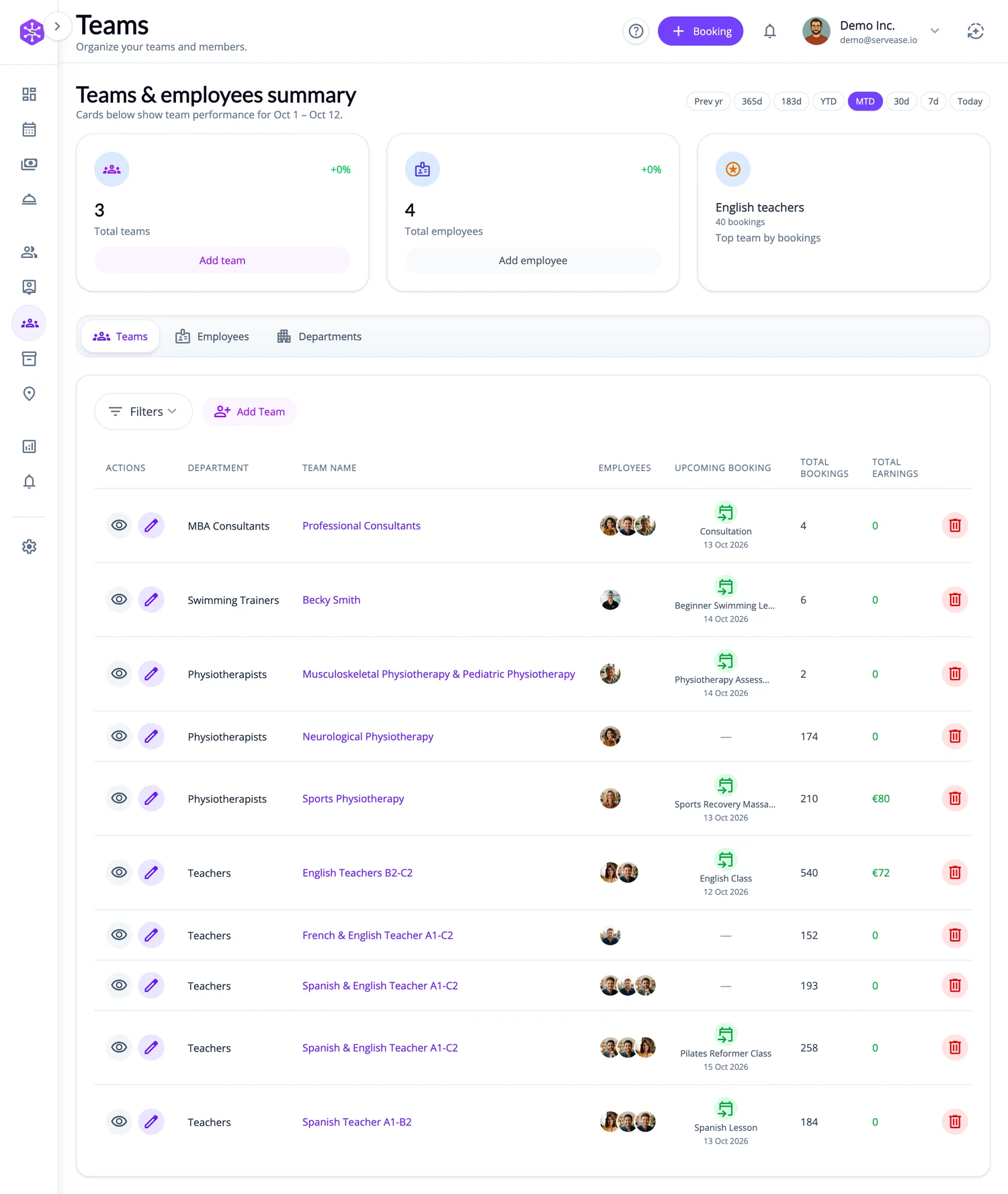
What ServEase coordinates
Team
Staff delivering the service. Required.
Room or vehicle
The specific room or vehicle the service uses. Required.
Location
Compatible service-delivery context; not an invented route engine.
Receiver
Passenger, student or other person receiving the service, where configured.
Booker
Customer arranging the service; may differ from the people receiving it.
Relevant capabilities
Coordinate staff and room or vehicle availability together, retain both assignments on the booking, and manage customer, service and financial context through the business workspace.
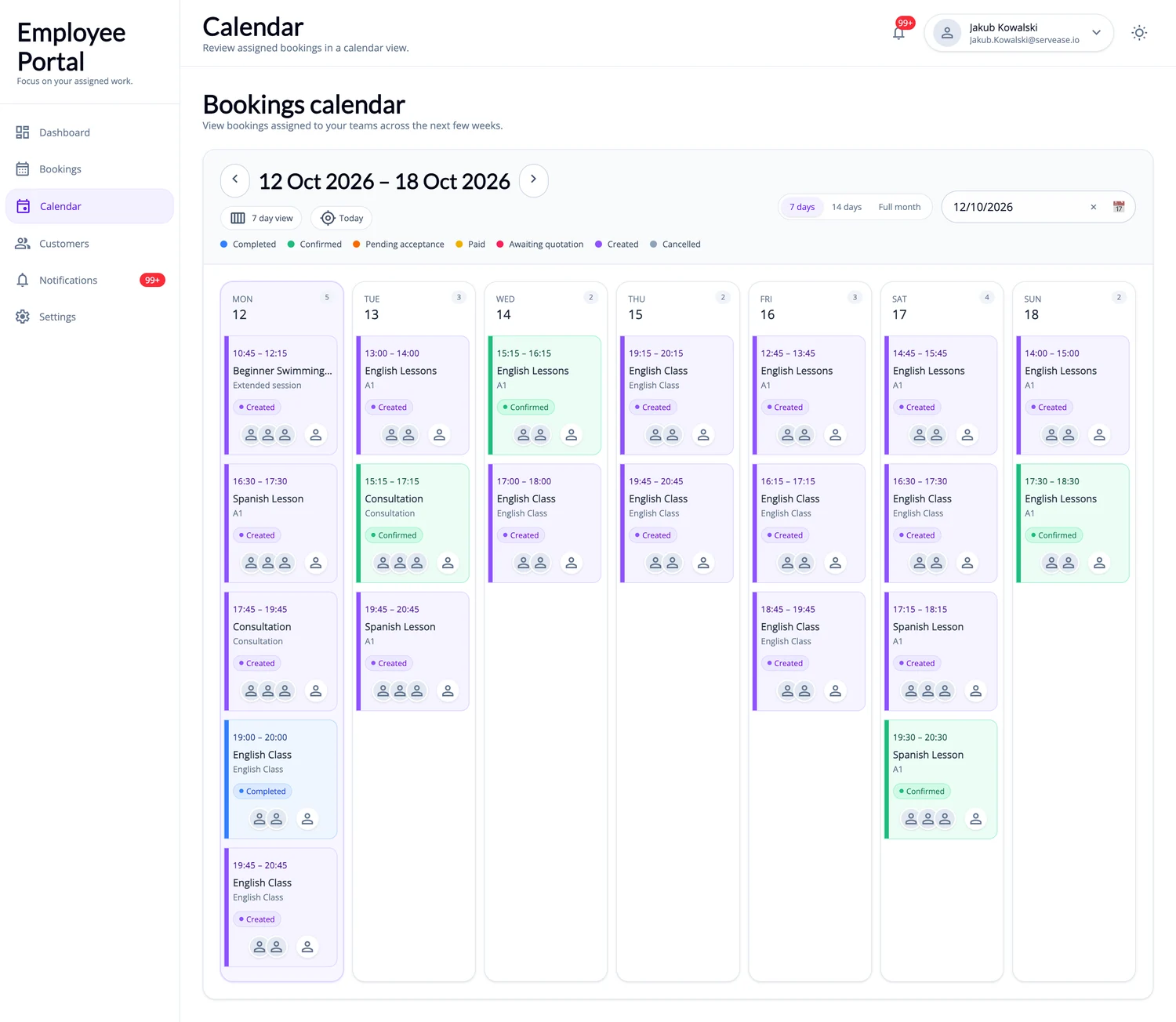
Limitations and fit
This is a staffed service, not self-drive rental or room hire. When the resource is a vehicle, rental periods, driver-licence checks, additional-driver fees and mileage pricing are not part of this service type. This page does not promise flight monitoring, dispatch, free-form route quotes or shared class places.
Questions about this journey
Is this the same as renting out a room or vehicle?
No. The customer books a service delivered by your staff, who use the room or vehicle. Self-drive rental and room hire are separate journeys.
What if the room or vehicle is free but no staff member is?
The booking cannot go ahead. The service needs an available staff member and an available room or vehicle for the same time.
Do customers have to choose the staff member and the room or vehicle?
Not necessarily. Depending on how you set up the service, customers can choose, or the booking is matched to an eligible staff member and room or vehicle.
For a transfer, can customers enter any pickup point and destination?
No. Bookings use the locations you have set up for the service. Free-form routes and journey quotes are not part of this journey.
Start with one service that needs staff and a room or vehicle
Connect the staff, room or vehicle and locations that service actually needs, then review the booking journey your customers will use.
Try for free