Requests arrive everywhere
Calls, emails and messages all need an answer before anything reaches the calendar.
Manual booking
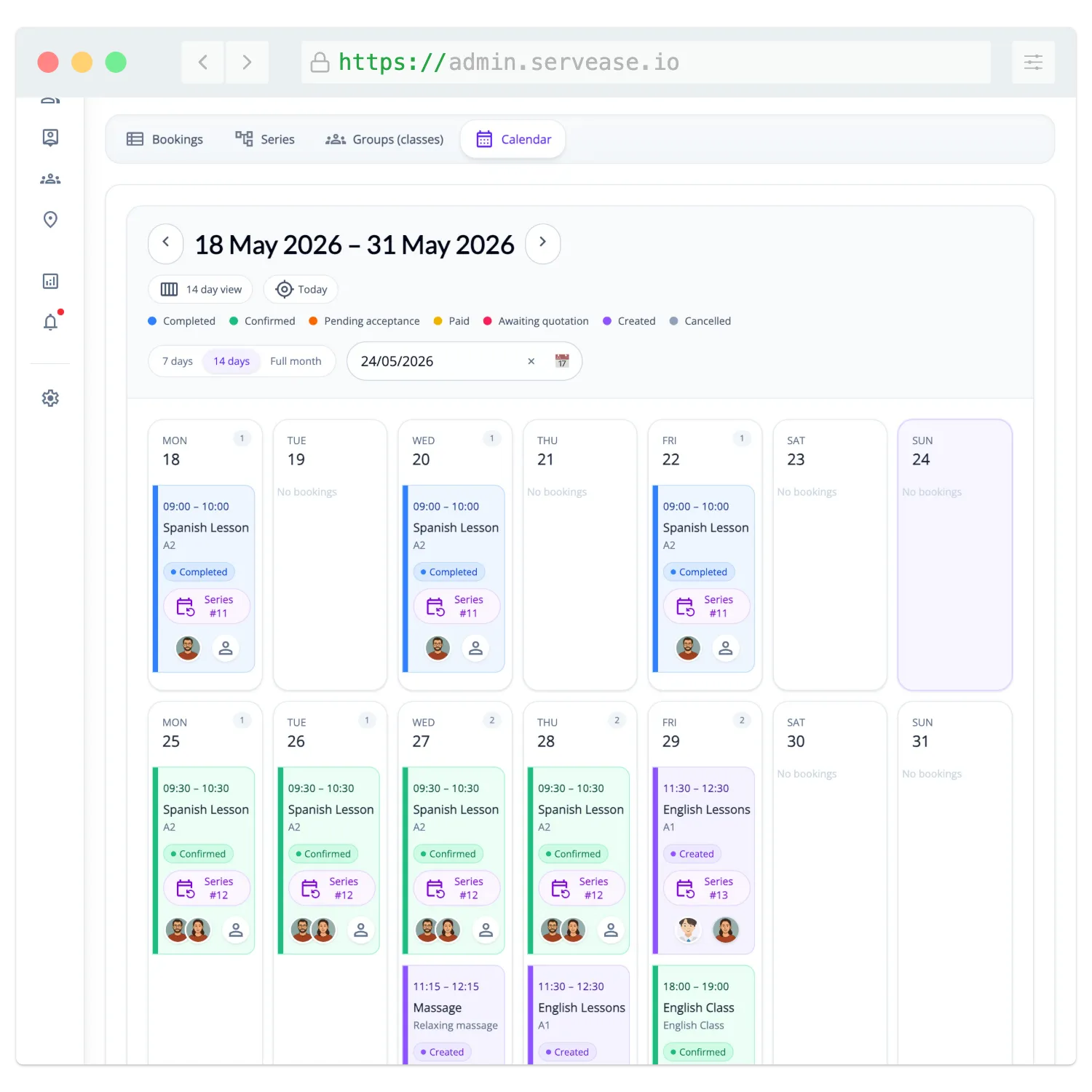
Bring calls, messages, spreadsheets and calendar checks into one booking workspace. Your team can still book on a customer’s behalf, and customers book online only the services you choose to open.
The problem
Calls, emails and messages all need an answer before anything reaches the calendar.
Someone has to compare calendars, staff availability and service rules before confirming a time.
Reschedules, cancellations and questions mean another round of messages and manual updates.
How it works
Bookings your team creates and bookings customers make online appear in the same place, with customer and service details attached.
Define duration, schedule, location, price and the team or resources involved.
Your team creates and manages bookings in the admin workspace when a conversation should come first.
Offer self-service only for the services you want customers to book themselves.
Customer, schedule, team and payment status stay with the booking instead of in inboxes and spreadsheets.
In the product
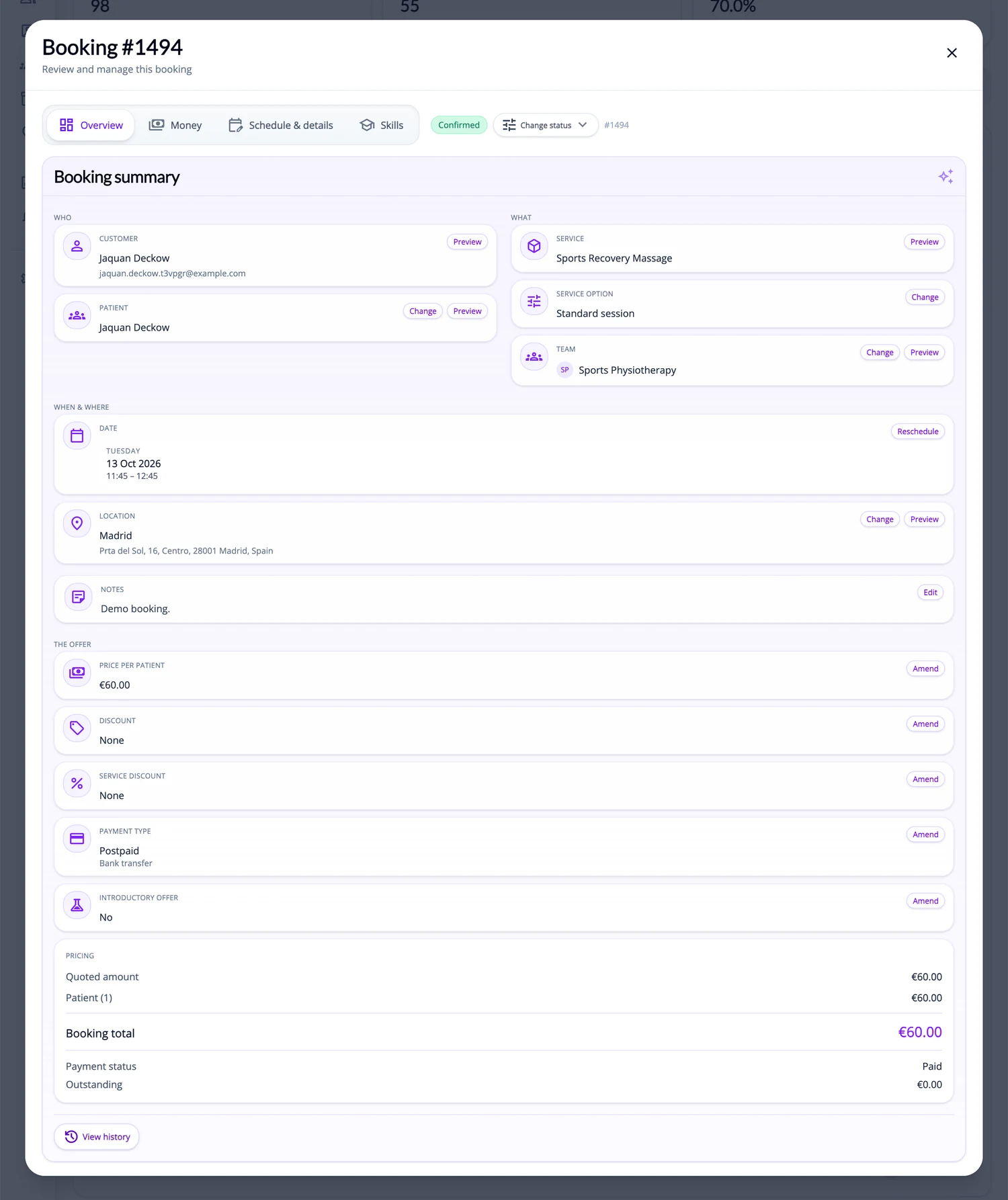
Open a booking to see who it is for, what was booked, when and where it takes place and what has been paid — and make changes from the same screen.
Your brand on the outside
Three fictional businesses, several completely different customer-facing views — all using genuine ServEase Widgets. Match the booking experience to the business instead of sending customers to a generic third-party page.
Wellness · Service grid · browse before booking
You choose how customers book
Your team takes the booking for services that need a conversation, a quote or a check first.
Customers book only the services and times you choose to publish.
Use different approaches for different services in the same business.
Start with your own services, open online booking where it helps and keep the rest in your team’s hands.